Project Detail
NORDIC
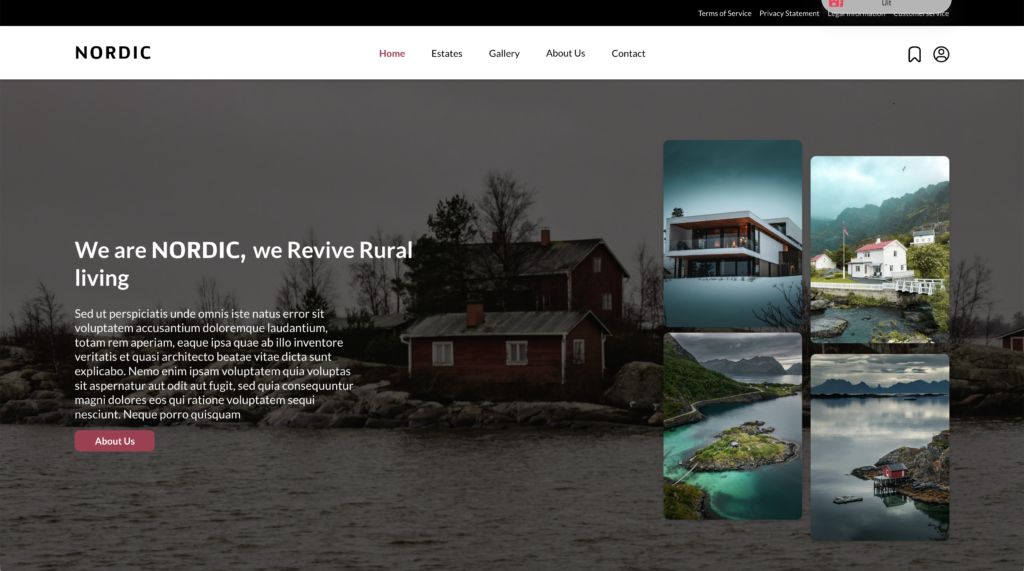
School case – NORDIC – Navigation elements
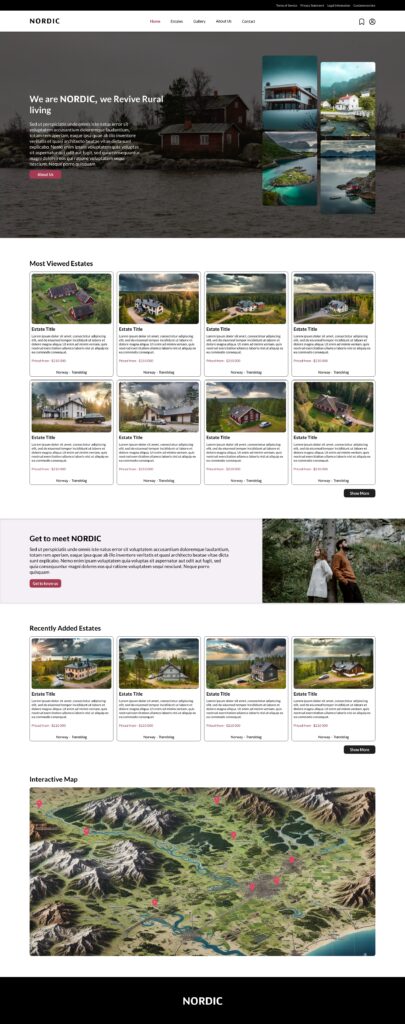
NORDIC is a web design assignment focused on navigation. Therefore, this UI/UX design primarily revolves around the development and use of navigation elements.
In the screenshot above, the main navigation structure of the website is visible. This structure consists of the primary navigation menu, a call to action, and a secondary menu located at the very top of the page. Together, these elements help users understand the structure of the website and allow them to navigate through the content in a clear and efficient way.
The primary navigation menu gives users direct access to the most important pages of the website, such as Home, Estates, Gallery, About Us, and Contact. These pages represent the core sections of the platform and form the main path that visitors follow while exploring the website. By placing these links in a prominent position in the header, users can quickly find the information they are looking for.
Above the primary navigation menu, a secondary menu is placed in a dark bar at the top of the page. This menu contains links to more specific or supportive pages, such as the terms of service and privacy statement. These pages are important for transparency and legal information, but they are accessed less frequently during normal browsing. Placing them in a separate menu keeps the main navigation clear while still making these pages easy to access.
A call to action is also placed within the hero section of the page. This button invites users to explore the website further by guiding them to additional information about the organisation. Its purpose is to attract attention and encourage interaction, helping users move deeper into the website and continue their journey through the platform.
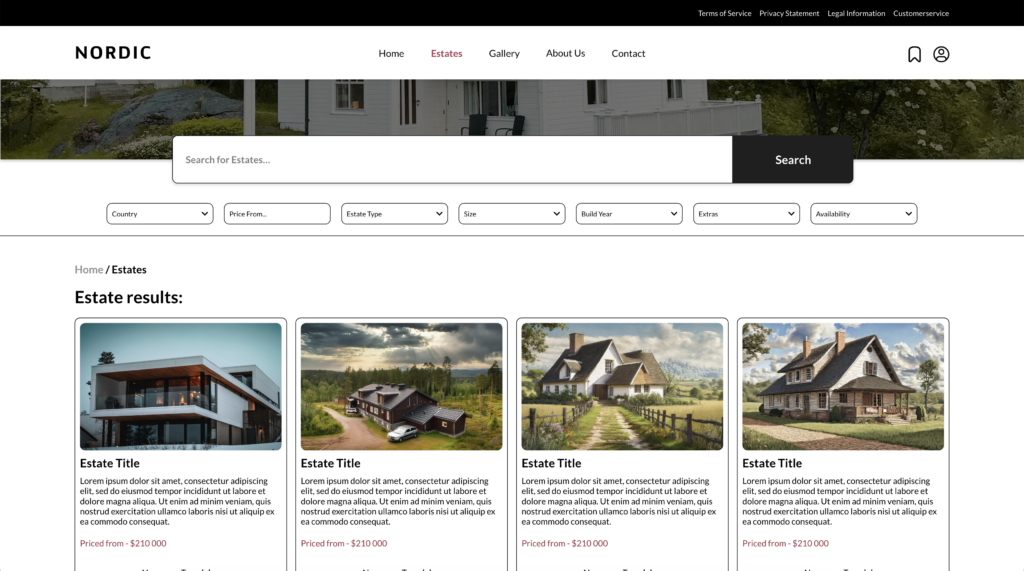
Below the search bar, a set of filter options is available. These filters allow users to refine their search results based on several criteria, such as country, price range, estate type, size, build year, extras, and availability. The filters help reduce the number of displayed results and make it easier for users to focus on properties that meet their specific needs.
This filtering system improves usability by giving users more control over the search process. Instead of browsing through many unrelated listings, visitors can quickly adjust the filters to find relevant estates that match their preferences. As a result, the search experience becomes more efficient and user friendly.
Previous Project
Heritage PerspectiveNext Project
Visual Research Narrative